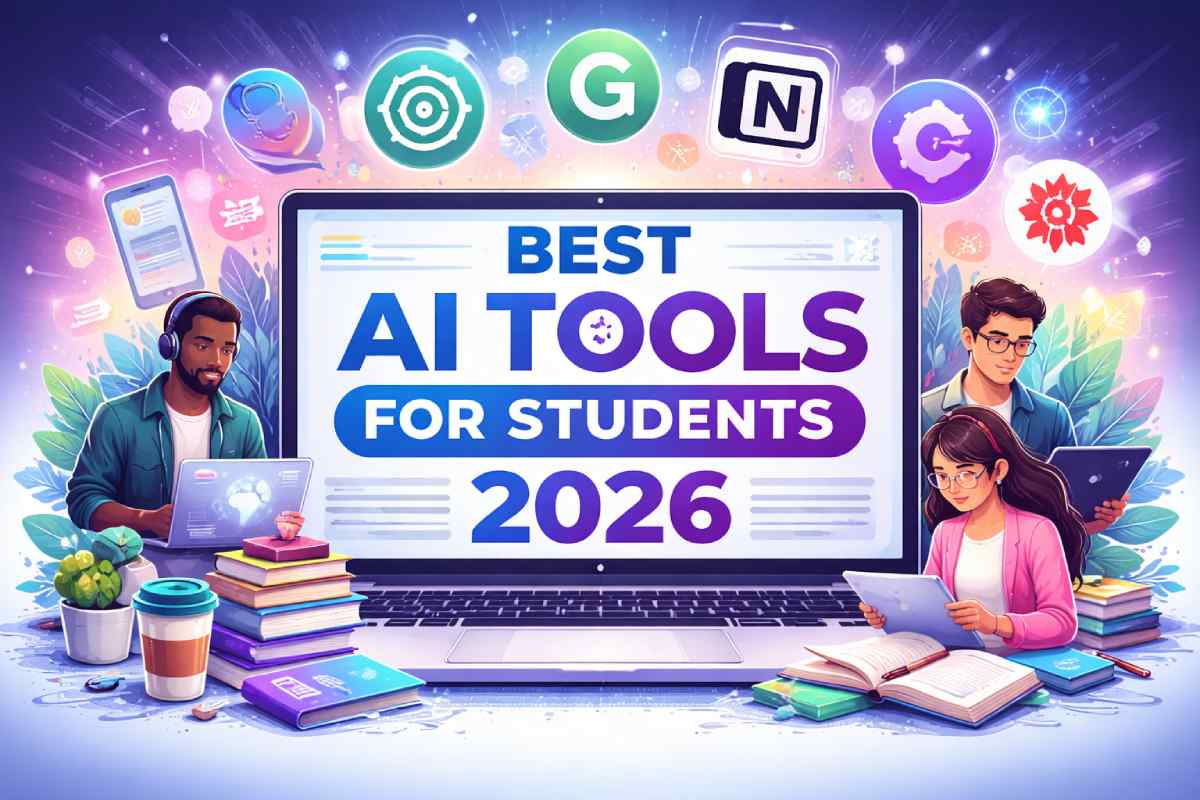
As we progress through 2026, artificial intelligence has become an indispensable companion for students worldwide. In addition, AI tools are transforming how students learn and complete tasks. Therefore, using the right AI tools can significantly improve productivity and understanding. For example, tools like ChatGPT help with writing, while Grammarly improves grammar accuracy.
Table of Contents
Best AI Tools for Students by Use Case
AI tools are not just general-purpose anymore. In fact, they are designed to solve specific student needs. Therefore, choosing the right tool based on your use case can improve productivity and learning efficiency. Let’s explore the best AI tools based on different student requirements.
Best AI Tools for Writing Assignments
When it comes to writing assignments, students need tools that can generate ideas, improve grammar, and structure content effectively. For example, ChatGPT helps in drafting essays, generating outlines, and explaining complex topics in simple language. In addition, Grammarly ensures your writing is clear, error-free, and professional.
What Are AI Tools for Students?
AI tools for students are software applications powered by artificial intelligence—specifically large language models (LLMs), machine learning algorithms, and neural networks—designed to assist with academic tasks. These tools can generate text, answer questions, check grammar, paraphrase content, solve equations, create visual designs, summarize research papers, and even generate flashcards and quizzes from lecture notes. In 2026, AI tools have evolved far beyond simple chatbots; they now offer interactive visual explanations, step-by-step problem-solving, real-time collaboration features, and deep integration with popular educational platforms. A small set of standout tools exists for explanation, organization, writing, research, recording, and recall. The key is not quantity, but fit.
Why Students Need AI Tools in 2026
In 2026, students face more academic pressure than ever before. Course loads are heavier, research requirements are more demanding, and the job market increasingly values digital literacy and AI competency. AI tools address these challenges by providing personalized, on-demand assistance that traditional methods cannot match. Students need AI tools because they:
- Level the playing field: Not everyone has access to private tutors or expensive study resources. Free and low-cost AI tools democratize learning.
- Adapt to individual learning styles: AI can explain concepts in multiple ways until a student understands.
- Save precious time: Routine tasks like proofreading, formatting citations, and summarizing articles can be automated, freeing time for deep learning.
- Prepare for an AI-driven future: Familiarity with AI tools is becoming a workplace essential, not just an academic convenience.
As one university guide notes, AI-driven academic productivity tools are designed to help students work more efficiently by automating routine tasks, synthesizing information, and delivering actionable insights. In 2026, students need tools that are accurate, transparent, and creative while fitting into busy schedules.
Benefits of Using AI Tools for Students
Improve Study Efficiency
AI tools help students study more efficiently by automating time-consuming tasks. Instead of manually creating flashcards from a 50-page textbook chapter, an AI tool can generate them in seconds. Instead of spending hours trying to understand a difficult calculus concept, an interactive AI tutor can break it down step by step. This efficiency means more time for revision, practice, and rest.
Save Time on Assignments
Writing essays, conducting research, and preparing presentations are among the most time-consuming academic activities. AI tools accelerate these processes by helping with brainstorming, outlining, drafting, editing, and formatting. For instance, AI writing assistants can check grammar, suggest vocabulary improvements, and even generate citations in seconds—tasks that might otherwise take hours. The best AI tools for students improve understanding, save time, and boost productivity.
Enhance Learning Experience
Perhaps the most important benefit is that AI tools make learning more engaging and personalized. Students can ask AI to explain a concept in simpler terms, provide real-world examples, generate practice problems, or even create visual diagrams. This interactivity transforms passive reading into active learning. As UCLA recommends, use Gen AI like a study partner or tutor by asking for clarifications, counterarguments, deeper explanations, simplified versions, or examples.
Best AI Tools for Students 2026 (Top Picks)
ChatGPT for Writing and Research
ChatGPT remains the most versatile AI tool for students in 2026. In March 2026, OpenAI launched interactive visual explanations specifically designed for students struggling with math and science. Instead of plain-text answers, students now receive dynamic visual responses that break down concepts, explain, and walk through solutions step by step. ChatGPT covers more than 70 core math and science concepts relevant to high school and college students, including algebra, probability, geometry, and physics relationships. With Study Mode enabled, ChatGPT provides a step-by-step learning method instead of quick AI-generated answers, designed to help students with homework, test preparation, and learning new topics. ChatGPT also supports data analysis, file uploads, and brainstorming. A paid ChatGPT Plus plan provides access to the latest model and advanced tools.
Grammarly for Grammar and Editing
Grammarly is the gold standard for AI-powered writing assistance. It checks grammar, spelling, punctuation, tone, and clarity in real time. For students, Grammarly is particularly valuable for essays, research papers, and application letters. The free plan offers essential grammar and spelling checks along with conciseness suggestions. The Premium plan, priced at approximately $12 per month (or $144 annually), adds advanced features such as plagiarism detection, tone adjustments, vocabulary suggestions, and style improvements. Many universities offer Grammarly at heavily discounted rates for students—as low as $36 per user per year, representing over 70% savings compared to the regular list price.
Notion AI for Notes and Productivity
Notion AI transforms scattered notes and fragmented information into organized, searchable systems. As one review describes it: “Unstructured knowledge fades quickly. Notes scattered across pages, apps, and formats don’t accumulate—they dissolve. Notion AI brings shape to that chaos. It turns fragments into systems. Headings into hierarchies. Loose thoughts into something retrievable”. Notion AI helps students create customized study plans, class notes, to-do lists, and project trackers. The tool is free for students, with millions of students worldwide using it. Notion AI can answer questions about project updates, suggest next tasks, and simplify workflows. In 2026, Notion AI continues to be one of the most powerful cloud-based productivity tools on the market.
QuillBot for Paraphrasing
QuillBot has evolved from a simple sentence rewriter into a comprehensive AI writing platform by 2026. It offers 10 professional paraphrasing modes, grammar checking across 6 languages, plagiarism detection (up to 25,000 words per month), and citation generation. QuillBot’s all-in-one writing workspace resembles Google Docs but includes built-in rewriting, summarizing, grammar checking, and citation tools, allowing students to go from research to draft to polish without switching windows. Studies show that QuillBot helps students improve grammar accuracy, sentence clarity, and paraphrasing skills while increasing their confidence in writing. It is especially useful for rewriting essay drafts, assignment sections, and syllabus summaries.
Canva for Design and Presentations
Canva empowers students to create stunning presentations, posters, infographics, videos, and social media content through intuitive design tools and AI-based features. Canva’s AI tools include Image to Video, Style Match, and Magic Insights. In 2026, Canva has expanded its educational offerings significantly. Monash University announced Australia’s first Canva Campus partnership, granting over 95,000 students and staff free access to Canva’s full Pro suite, including premium templates and rapidly evolving AI tools. Canva is free for K-12 students and teachers, ideal for creating presentations, posters, and videos. For graduating students, the Canva Graduate Access Program allows continued access to Canva Pro after leaving school.
Wolfram Alpha for Problem Solving
Wolfram Alpha is a computational knowledge engine, not a search engine. Instead of giving you the final answer, Wolfram Alpha acts as a computational knowledge engine that breaks down complex algebra, calculus, physics, and chemistry problems into step-by-step solutions so you can actually understand the methodology. It is an absolute must-have for any STEM major. Wolfram Alpha is famous for math and physics but is also a whiz at chemistry, biology, engineering, economics, astronomy, and statistics. A 2026 feature in the Wolfram ecosystem allows for 2D typesetting of math and interactive “plot quizzes” for students. Pro for Students is priced at $11.99 per month or $71.99 per year.
Free vs Paid AI Tools for Students
Best Free AI Tools
In 2026, students have access to an impressive array of completely free AI tools:
- ChatGPT (Free tier): Access to GPT-3.5 level models with basic functionality.
- Google Gemini (Free tier): Integrated with Google Workspace, offering basic features.
- Canva: Free for K-12 students and teachers.
- Notion: Free for students.
- Adobe Acrobat Student Spaces: A free AI-powered study tool launched in April 2026 offering personalized study guides, mind maps, flashcards, quizzes, and audio summaries. It includes an AI tutor that provides 24/7 explanations and can convert notes into audio summaries or podcasts.
- Microsoft Study and Learn Agent: A free AI tool for students aged 13 and older, built around learning science principles, offering guided exercises, flashcards, and quizzes.
- Grammarly (Free tier): Basic grammar and spelling checks.
- QuillBot (Free tier): Limited paraphrasing and summarizing.
- Perplexity AI: A research-focused AI with a free tier.
Premium AI Tools Worth Paying For
While free tools cover many essentials, paid plans become valuable when they meaningfully save time or improve quality during heavy coursework. Here is a pricing comparison for premium tiers:
| Tool | Premium Pricing (Student Rates) | Key Added Features |
| ChatGPT Plus | $20/month | Latest model, data analysis, file uploads, advanced tools |
| Grammarly Premium | ~$12/month or $144/year (university discounts as low as $36/year) | Plagiarism detection, tone adjustments, vocabulary suggestions, style improvements |
| Notion AI | Free for students (premium AI add-on available) | AI-powered Q&A, task automation, workflow summaries |
| QuillBot Premium | ~$9.90/month (annual plans cheaper) | Unlimited paraphrasing, plagiarism detection (25k words/month), citation generation |
| Wolfram Alpha Pro | $11.99/month or $71.99/year | Step-by-step solutions, extended computation time, downloadable results |
| GitHub Copilot | Free for verified students | Real-time debugging and code suggestions |
The general rule: start free, upgrade with purpose. Free tools cover the essentials, while paid plans make sense when they meaningfully save time or improve quality during heavy coursework.
How to Choose the Right AI Tool
Based on Your Needs
Different academic tasks require different tools. Before choosing, identify your primary challenges:
- Struggling with writing essays? Prioritize Grammarly and QuillBot.
- Need help with math and science? Wolfram Alpha and ChatGPT (with Study Mode) are essential.
- Disorganized notes and schedules? Notion AI will transform your workflow.
- Creating presentations and visual projects? Canva is your best bet.
- Conducting research? Perplexity AI and ChatGPT for literature reviews.
When choosing tools, students should focus on features that directly address their academic needs. The key is not quantity, but fit.
Ease of Use and Features
Look for tools with intuitive interfaces, good mobile support (for studying on the go), and integration with platforms you already use (Google Docs, Microsoft Word, browsers). Also consider whether the tool offers tutorials or onboarding help—disparities in prior AI experience can be significant, with some students proficient while others are completely lost.
Budget Considerations
Many excellent AI tools have generous free tiers that suffice for most students. Before paying, test the free version thoroughly. If you find yourself hitting limits frequently (e.g., word count caps, daily query restrictions), then consider upgrading. Also check whether your university offers campus-wide licenses—many institutions provide Grammarly, Microsoft Copilot, and other tools at no cost to students.
Tips to Use AI Tools Effectively
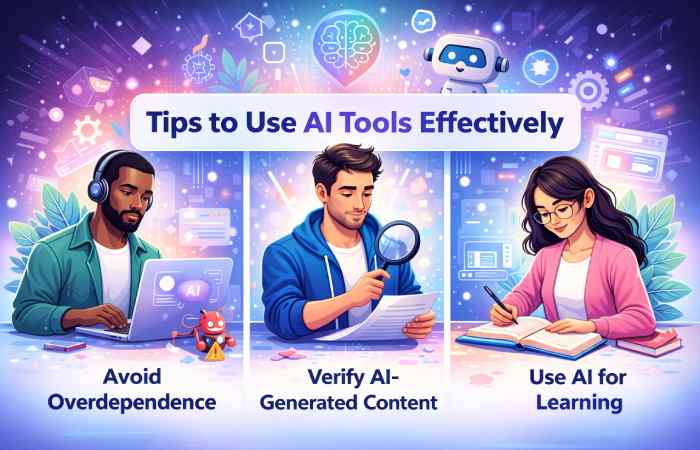
Avoid Overdependence on AI
AI tools are assistants, not replacements for your own thinking. As Kaplan advises: do use AI to ask for explanations, clarify difficult concepts, generate practice questions, test your understanding, and explore examples. But do not let AI do the learning for you. The goal is to enhance your understanding, not bypass the hard work of learning.
Verify AI-Generated Content
AI tools can produce incorrect information, a phenomenon known as “hallucination.” Always double-check AI-generated facts against reliable sources, especially for research papers and assignments. As one academic integrity guide warns: check and double-check all output for accuracy. Using AI to generate complete drafts is a high-risk strategy that often leads to plagiarism, factual hallucinations, and flagging by detection tools.
Use AI for Learning, Not Cheating
The most effective way to use AI is as a study partner. Ask it to explain concepts you find difficult. Ask it to generate practice problems and then solve them yourself. Use it to get feedback on your drafts. Use AI to identify and correct errors in work you have written—not to transform your writing into something different. When used ethically, AI tools deepen learning rather than undermining it.
Common Mistakes Students Should Avoid
Copy-Pasting Without Understanding
The most common and damaging mistake is copying AI-generated text directly into assignments without understanding or modifying it. This not only risks plagiarism detection but also prevents genuine learning. AI outputs should be starting points for your own thinking, not final submissions.
Ignoring Plagiarism Issues
Many students assume AI-generated content is automatically “original.” It is not. AI models are trained on existing texts and can inadvertently reproduce phrases, sentence structures, or even entire passages from their training data. Running AI-assisted drafts through plagiarism checkers is essential. Scribbr’s Plagiarism Checker focuses on identifying similarities with existing published works, while dedicated AI detectors specifically check for AI-generated content.
Using Too Many Tools at Once
Trying to master a dozen AI tools simultaneously is counterproductive. Start with two or three core tools that address your biggest pain points. Once you are comfortable, gradually add more. The goal is workflow enhancement, not tool accumulation.
Frequently Asked Questions
1: Are AI tools allowed by schools and universities?
Most educational institutions in 2026 permit AI tool usage but with specific guidelines. Always check your school’s academic integrity policy. Many universities provide approved AI tools (like Microsoft Copilot or Grammarly) to students. The key is transparency—cite AI assistance when required and never submit AI-generated work as your own.
2: Which AI tool is best for math and science?
For STEM subjects, Wolfram Alpha is unparalleled for computational problem-solving with step-by-step explanations. ChatGPT (with Study Mode enabled) now offers interactive visual explanations covering over 70 math and science concepts, from algebra to physics.
3: Can AI tools detect plagiarism in my writing?
Some AI tools include plagiarism detection features. Grammarly Premium includes plagiarism checking. Dedicated tools like Turnitin, Copyleaks, and Scribbr offer more comprehensive plagiarism and AI detection. However, no tool is 100% accurate, and the best practice is to always write original content and use AI only for assistance, not generation.
How much do AI tools cost for students?
Many AI tools offer free tiers sufficient for basic needs. Premium plans typically range from $9 to $20 per month. However, students should check university software stores for heavily discounted rates—Grammarly, for example, is often available for $36 per year (70%+ off retail). GitHub Copilot and Notion AI are free for verified students.
Can AI tools help with exam preparation?
Absolutely. Use AI to generate practice questions, create flashcards from lecture notes, explain difficult concepts in multiple ways, and quiz yourself on key topics. Microsoft’s Study and Learn Agent is specifically designed for independent study with guided exercises and quizzes. Adobe’s Student Spaces can convert notes into audio summaries for review during commutes.
Conclusion
Final Thoughts on AI Tools for Students
The landscape of AI tools for students in 2026 is richer and more accessible than ever before. From ChatGPT’s interactive math tutorials to Grammarly’s real-time editing, from Notion AI’s organizational power to Wolfram Alpha’s computational depth, there is an AI tool for every academic need. The best strategy is to start with free versions, identify your specific pain points, and gradually integrate tools that genuinely improve your learning experience.